From Isolated Questions to a Reusable ChatGPT Project: Chat, Project or Work
How to turn recurring work into a reusable ChatGPT file: when to use a plain chat, a project or Work, and what to check before sharing.
The short rule: chat, project or Work
Use a plain chat when the question is self-contained. Use a project when the work will continue over time, produce more than one output, or depend on the same files and sources. That is the dividing line in OpenAI's project documentation. Switch to Work when you want ChatGPT to carry a larger task through to a result you can review.
The two choices are not exclusive. A project keeps related chats, files and instructions together, and a Work task can still be the thing that produces the deck or analysis. The question is where the lasting context lives. If you would paste the same background into a new chat next week, that background belongs in a project.
This article covers the ChatGPT assistant, including Chat and Work. It does not cover the API, which the pages used here do not describe.
Sources: Projects (learn.chatgpt.com) · Use chatgpt (learn.chatgpt.com) · Get started with work (learn.chatgpt.com)
What a project holds, and what it does not
A ChatGPT project groups chats, uploaded files, instructions and connected sources. Project instructions apply across the chats inside it. For a weekly briefing, that means the audience, the format and the house rules are written once instead of retyped.
One limit matters for teams with files on shared drives or laptops. ChatGPT projects do not automatically give direct access to local folders. In the desktop app, a separate kind of project, a local project, can attach one or more folders, and ChatGPT can then read and change files in them. Remote projects currently support one folder.
Pinning a project or chat only changes where it appears in the sidebar. It adds no context and changes nothing about what ChatGPT can access.
Sources: Projects (learn.chatgpt.com)
A recurring job, step by step
Take a weekly synthesis note or an options comparison. Create one project for the topic. Add the stable material: the template, the style guide, the source documents, and instructions saying who reads the result and what format they expect. Then start a separate chat for each distinct outcome, such as one week's note or one comparison. The documentation recommends this so each chat stays focused while the project keeps the work organised.
Files that apply to only one request can be attached directly to that chat rather than the project. Plugins bring in context and actions from other services, such as Google Drive or Slack, and you can point to one by typing @ and its name. Availability depends on your plan, workspace settings and the plugin itself.
If the job truly repeats, Work offers scheduled tasks and reusable skills. OpenAI's own example asks for a refreshed weekly agenda from Slack and Drive updates, sent as a draft before anything is shared. Cloud runs suit scheduled website checks because the computer need not be awake.
Sources: Projects (learn.chatgpt.com) · Use chatgpt (learn.chatgpt.com) · Get started with work (learn.chatgpt.com)
Chat, Work or Codex for the result you need
The documentation frames the choice by outcome. Chat suits a question, brainstorm or short draft. Work suits a defined result such as a deck, a spreadsheet, a report or a plan. Codex suits developer tasks like debugging or reviewing a pull request. Work can use files, plugins and approved tools, and it pauses to ask for information or approval.
Work runs in a managed cloud on the web. In the desktop app you may also run it locally, which requires an available desktop environment. Work and Codex share usage limits, and longer tasks may use more credits, so keep the task bounded. OpenAI's guidance suggests stating the sources to use and when to stop for review.
Sources: Get started with work (learn.chatgpt.com) · Use chatgpt (learn.chatgpt.com)
Checking the output before it travels
OpenAI advises treating the first result as a draft. Verify numbers, names, dates and claims. Open generated files and inspect every tab, slide or page. Confirm the model used the right and most current source material. You can also ask what sources and assumptions it used and what it could not access, and ask for a gap to be stated plainly.
Job postings show how some employers frame this habit. A Socure content role describes using ChatGPT's Deep Research to speed up research and drafting while keeping human verification and editorial quality central. A Datadog legal operations posting lists ChatGPT among team tools and asks for sound judgment on using AI with sensitive data. These are hiring signals, not evidence of results.
Sources: Use chatgpt (learn.chatgpt.com) · F8038aea 368e 4128 beba c146d5a49d9d (jobs.ashbyhq.com) · 8189660 (careers.datadoghq.com)
Sharing, data and the points to confirm
The documentation describes sharing for Codex threads in the desktop app on macOS. A shared snapshot is read-only. For a personal account, anyone with the link can open it. For a workspace account, only authenticated members can, and an administrator can turn workspace links off. A snapshot may still contain sensitive content such as file paths, so review it before sending. Links can be viewed and revoked under data controls.
The pages used here do not cover how project sharing works across a team, or retention and model-training rules, so confirm those for your plan. Features depend on plan, platform, region, rollout and workspace settings, and administrators can control access to Work, plugins and browser use.
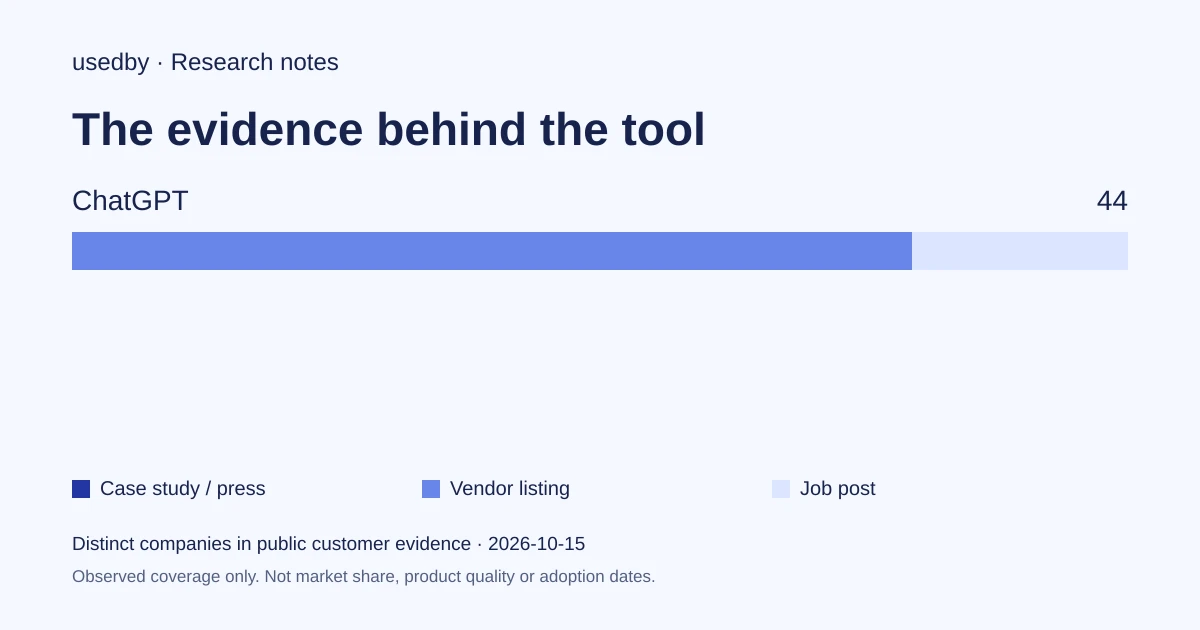
The usedby listing shows Free at $0, Go at $8, Plus at $20 and Pro at $100 per month, checked on October 4, 2026. It also counts 44 companies, nine of them only from job posts. That is a count in one database, not market share.
Sources: Use chatgpt (learn.chatgpt.com) · Chatgpt (usedby.ai)
Method and limits
2026-10-15
This dated snapshot counts distinct companies in public customer evidence. CONFIRMED means a case study, named testimonial or press source; OBSERVED means a vendor listing; SIGNAL means a job post. All three count, but their strength differs. Removed and unlevelled lines are excluded. Examples are a capped selection verified within 90 days. Vendor facts are sourced records checked within 60 days. Coverage is uneven and missing evidence is unknown. These figures measure neither market share nor product performance; capture dates are not adoption dates.
Sources
- Projects (learn.chatgpt.com)learn.chatgpt.com
- Use chatgpt (learn.chatgpt.com)learn.chatgpt.com
- Get started with work (learn.chatgpt.com)learn.chatgpt.com
- F8038aea 368e 4128 beba c146d5a49d9d (jobs.ashbyhq.com)jobs.ashbyhq.com
- 8189660 (careers.datadoghq.com)careers.datadoghq.com
Questions
When should I open a project instead of a plain chat?
Open a project when the work will continue, yield several outputs or rely on the same files and sources. Use a plain chat for a self-contained question. Inside a project, start one chat per distinct outcome.
Does a ChatGPT project read the files on my computer?
Not automatically. ChatGPT projects do not give direct access to local folders. In the desktop app, a local project can attach folders, and ChatGPT can then read and change files in them.
What is the difference between Chat and Work?
Chat suits questions and short drafts. Work suits a defined outcome, such as a brief, deck or analysis, built from files, plugins and approved tools. It pauses for approval, and you review the result.
Does this cover the ChatGPT API?
No. This article covers the assistant. The pages used here do not describe the API, so its features, data handling and pricing need separate confirmation. Also confirm what your plan, region and workspace settings allow.
Tools in this article

Explore the data
Who uses which AI tool, and how each line was found.