Translating as a team with DeepL: glossaries, style rules, files and human review
How a team can keep its terms and tone in DeepL: glossaries, style rules, translation memory, files and a human review step, plan by plan.
What a team needs: speed without losing terms or tone
A team that translates regularly has two problems. The first is speed. The second is consistency: the same product term, the same level of formality, the same wording in every document. DeepL describes itself as a platform for text and document translation, a writing assistant, real-time voice translation and an API, with glossaries and translation memory to keep terminology consistent.
This article follows one workflow: define terms, translate text and files, have a person review, then share. It also shows which parts depend on the plan. DeepL's pricing page lists limits that change a lot between Individual, Team, Business and Enterprise, so the right plan depends on how your team works.
Sources: deepl.com · Deepl (usedby.ai) · Pro (deepl.com)
Three different jobs: Translator, Write and Voice
DeepL's site presents separate products. Translator handles written text and files. Write helps you improve business writing, with style and tone adaptations. Voice offers real-time voice translation for virtual meetings or in-person conversations. They solve different problems, so decide which one your team really needs before comparing plans.
On the pricing page, Write Pro is an add-on at $7.49 per user per month, billed annually, for Individual and Team. It appears as included in Business. The page also mentions 30 minutes of DeepL Voice per user per month, so Voice is limited in the plans as listed. Translation Flow is shown as a new add-on for Business and Enterprise, but the page does not explain it, so ask what it covers.
SOMPO Holdings shows why the split matters. In the vendor's case study, the group adopted DeepL Pro for translation and DeepL Write for English writing and proofreading. In its proof of concept, with about 70 internal participants, feedback on Write varied depending on how often people wrote in English. The group introduced it anyway, anticipating more English drafting.
Sources: deepl.com · Deepl (usedby.ai) · Pro (deepl.com) · Sompo holdings (deepl.com)
Terminology: glossaries, style rules and translation memory
This is where plan limits matter most. According to the pricing page, the free version and Individual include one glossary with 5 entries per language pair. Team includes 5 glossaries and 1,000 entries per language pair, plus 5 shared style rule lists. Business and Enterprise list unlimited glossaries and entries, 20 shared style rule lists on Business, and translation memory. A fair usage policy applies to several of these items.
In practice, a glossary fixes how specific terms are translated, such as product names or legal expressions. Style rules shape how text is written. Translation memory reuses approved segments. A team with a small, stable vocabulary may manage with Team. A team that keeps a large term base across many language pairs will probably reach the glossary limits quickly.
SyncWords, a live captioning provider, says in its case study that it uses DeepL's glossary feature to keep terminology consistent in corporate, legal and technical broadcasts, and calls it a game-changer for specialized content. This is the vendor's published account of one deployment, not a test of glossary effectiveness on your content.
Sources: Pro (deepl.com) · deepl.com · Syncwords (deepl.com)
Documents and formats: files, quotas and an existing CAT workflow
For documents, the pricing page shows file translations per user per month: 1 on the free version, 3 on Individual, 20 on Team, 100 on Business, with custom volumes on Enterprise. Maximum file size is 5 MB on the free version, 30 MB on Individual and Team, and 100 MB on Business and Enterprise. Bulk file translation is listed from Team upward. The Usedby profile lists PDF, Word, Excel and PowerPoint as supported formats.
XXXLutz, a furniture retailer, offers a workflow example. Its translation team manages requests in Trados Studio, so any new tool had to fit that stack. According to DeepL's case study, the team added the DeepL plugin to Trados Studio, which combines existing translation memory with new suggestions. New phrasing found after research goes into the company term base, so it does not have to be researched again.
The same story says staff outside the translation team also use DeepL for product descriptions, emails and internal communication. The lesson is practical: translators and occasional users need different setups, and the main question is where the tool plugs into work that already exists. The story reports no measured speed figure, only the team's own impression of working faster.
Sources: Pro (deepl.com) · deepl.com · Xxx lutz (deepl.com)
Review and sharing: where a person must stay in the loop
The sources reviewed describe DeepL as producing suggestions. They do not present it as replacing review. As an editorial recommendation, keep a human check for legal text, regulated content, public pages and anything where one wrong term has a cost. The XXXLutz head of translations says DeepL gives more confidence when translating into a non-native language, which is a reviewer's aid, not a guarantee.
SOMPO's earlier situation shows the cost of poor output. Its previous tool produced errors and unnatural phrases, so a secretariat member repeatedly asked an English-proficient supervisor to revise board materials. After adopting DeepL, SOMPO says executives now translate many documents themselves, and that it integrated DeepL with its internal chat to translate messages into English.
For sharing and administration, the pricing page lists shared style rule lists from Team, team administration for 2 or more users, analytics and reporting, and single sign-on for 50 or more users on Team and Business. Business adds user provisioning (SCIM) and domain capture.
Sources: Xxx lutz (deepl.com) · Sompo holdings (deepl.com) · Pro (deepl.com)
Confidentiality, integration and open questions
The pricing page lists no data training on the Individual plan, and its security rows also name SOC 2 Type 2 compliance, ISO 27001 certification, TLS encryption and, for Enterprise, bring your own key. Confirm which of these apply to the plan you would buy. SOMPO says it assessed tools against more than 50 criteria and that non-use of input data for training was critical to its decision.
For integration, the Usedby profile lists Microsoft 365, Google Workspace, browsers and Zendesk, and DeepL also offers an API. Spindox used the API to translate chat and static content in a client's ticketing platform. A 30-day free trial is listed for Individual and Team, which is a cheap way to test your own glossary and files.
Questions to settle with the vendor: how translation quality holds in your language pairs, how glossaries behave on your content, and what Voice and Translation Flow cover exactly. The sources reviewed do not settle these points.
Sources: Pro (deepl.com) · Sompo holdings (deepl.com) · deepl.com · Spindox (deepl.com)
Method and limits
2026-10-15
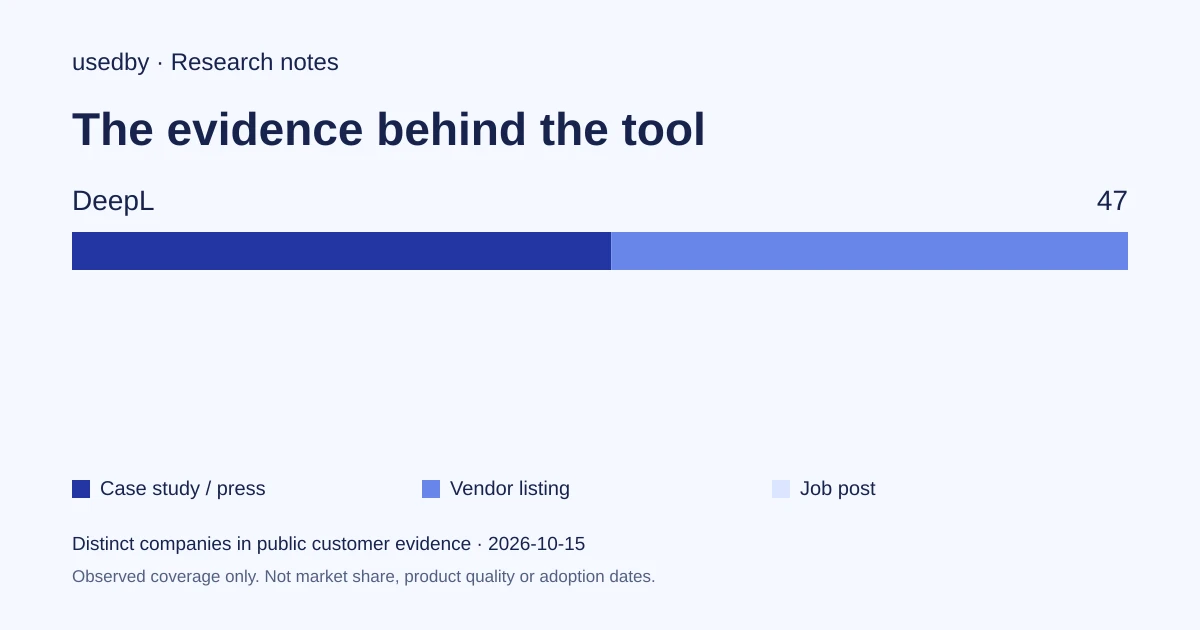
This dated snapshot counts distinct companies in public customer evidence. CONFIRMED means a case study, named testimonial or press source; OBSERVED means a vendor listing; SIGNAL means a job post. All three count, but their strength differs. Removed and unlevelled lines are excluded. Examples are a capped selection verified within 90 days. Vendor facts are sourced records checked within 60 days. Coverage is uneven and missing evidence is unknown. These figures measure neither market share nor product performance; capture dates are not adoption dates.
Sources
- deepl.comdeepl.com
- Pro (deepl.com)deepl.com
- Sompo holdings (deepl.com)deepl.com
- Syncwords (deepl.com)deepl.com
- Xxx lutz (deepl.com)deepl.com
- Spindox (deepl.com)deepl.com
Questions
Which DeepL plan includes translation memory?
According to DeepL's pricing page, translation memory is listed for Business and Enterprise, not for Individual or Team. A fair usage policy applies. Glossaries and shared style rules are available earlier: Team lists 5 glossaries and 5 shared style rule lists.
Does DeepL replace human review?
The sources reviewed present DeepL as a source of suggestions and do not claim it removes review. As an editorial recommendation, keep a person in the loop for legal, regulated or public content. XXXLutz describes DeepL as helping translators work faster and with more confidence.
What are the limits for file translation?
DeepL's pricing page lists 3 file translations per month on Individual, 20 on Team and 100 on Business, with custom volumes on Enterprise. Maximum file size is 30 MB on Individual and Team and 100 MB on Business and Enterprise. Bulk translation starts at Team.
Is there a free trial?
DeepL lists a free trial or free plan, and its pricing page shows a free 30-day trial for Individual and Team. Test it with your own glossary entries and a representative file before choosing a plan.
Tools in this article

Explore the data
Who uses which AI tool, and how each line was found.