From uploaded files to a summary your team can check: a document workflow in Claude
Where to put documents in Claude (chat or project), which limits apply, what needs a paid plan, and how to review a summary before your team relies on it.
What a usable summary needs
Short answer: use a chat for a one-off question about a few files, and a project when the same documents and instructions must serve several conversations or several people. Either way, the summary is a draft until someone checks it against the source.
Vendor case studies show why this matters. Carvana's published story says a senior attorney used Claude's Fable model across large transaction document sets, and valued that it separated facts from estimates and pointed out gaps instead of filling them. That is Carvana's own account of one user, not a test. Impel's story describes Claude working through more than 150 thousand recorded calls and its Salesforce data to build a training agent. The lesson for buyers is the same: volume is only useful if the output can be traced back and corrected.
Sources: 8241126 upload files to claude (support.claude.com) · 9517075 what are projects (support.claude.com) · Carvana (claude.com) · Impel (claude.com)
Step one: importing files
Claude's help page lists the document types it accepts: PDF, DOCX, CSV, TXT, HTML, ODT, RTF, EPUB, JSON and XLSX. Images can be JPEG, PNG, GIF or WebP. XLSX files require code execution and file creation to be enabled in your account.
Limits differ by where you upload. In a chat, the documented limits are 500 MB per file, up to 20 files, images up to 8000 by 8000 pixels, and PDFs up to 1000 pages. In a project's Files section, each file can be up to 30 MB, the number of files is not capped, but the total content must fit in Claude's context window, and extra token limits may apply.
PDFs get two treatments. Up to 100 pages, Claude analyzes text and visual elements such as charts and images. From 101 to 1000 pages it reads text only. Above 1000 pages the upload is refused. Project files are described as text extraction only, except for multimodal PDFs.
Non-PDF documents are text-only: if a Word file contains an embedded chart or scanned image, Claude cannot read it. If the picture carries the meaning, convert the file to PDF or describe the image yourself.
Sources: 8241126 upload files to claude (support.claude.com)
Step two: giving the files context with a project
A project is a self-contained workspace with its own chat histories and knowledge base. You add documents and write project instructions, for example a formal tone or the viewpoint of a given role. Claude applies the instructions to every chat in the project.
One detail is easy to miss: context is not shared between chats in a project unless it is added to the knowledge base. The project name and description are also not visible to Claude, so put anything important in the instructions or files. Each project has its own memory, and you can turn off account memory on the project page to keep it separate.
Plan matters here. Projects are open to all users, with free accounts limited to five. On paid plans (Pro, Max, Team, Enterprise), Claude switches on retrieval augmented generation when project knowledge nears the context limit, which the help page says can expand capacity up to tenfold. A separate projects beta, starting with Claude Code, is a different experience and should not be confused with the chat projects described here.
Sources: 9517075 what are projects (support.claude.com) · 9519177 how can i create and manage projects (support.claude.com)
Step three: reviewing the summary
The following review routine is our editorial recommendation, not a Claude feature. Ask for a summary that attaches a page reference to each claim, and ask Claude to list what the documents do not say. Then spot-check the claims that drive a decision.
Claude's guidance helps with page references: when you cite pages, use the page numbers shown in your PDF viewer, not the numbers printed on the document. A report whose printed page 12 is viewer page 16 will otherwise send reviewers to the wrong place. For large files the help page suggests splitting them into smaller sections to stay within limits, which also makes each section easier to verify.
Check the input side too. Files over 100 pages lose visual analysis, and non-PDF files lose embedded images. A summary of a long slide-heavy PDF may therefore miss what the charts show. The help pages do not say whether Claude can quote exact passages with locations by default, so treat page references as something to verify rather than guarantee.
Sources: 8241126 upload files to claude (support.claude.com)
Step four: sharing and data questions
Sharing is a Team and Enterprise feature. Creators can keep a project private, share it with named members by email or in bulk, or open it to the organization where administrators allow it. Members get either view access, which includes chatting in the project, or edit access, which allows changing instructions and knowledge. Owners can turn off sharing, and on Enterprise plans do so for specific roles.
Archiving a project keeps its members, permissions and knowledge intact, and an archived project cannot be deleted until it is unarchived. To revoke access, remove the person in the sharing settings. Teams handling sensitive files should do that before archiving, not after.
On security, Anthropic's Trust Center lists SOC 2 Type 2, ISO 27001, ISO 42001, HIPAA and other frameworks, with coverage shown per offering. The table shows HIPAA as covered for the API and Enterprise but not applicable for Team, so the plan you buy changes the answer. A data processing addendum is listed. Treat these as vendor statements about Anthropic's controls, not proof that your own use is compliant.
Sources: 9517075 what are projects (support.claude.com) · 9519177 how can i create and manage projects (support.claude.com) · trust.anthropic.com · Claude (usedby.ai)
What to clarify and when a chat is enough
The upload and project pages do not settle three points buyers often ask about: how long uploaded files are kept, whether they are used to train models, and how reliably summaries cite passages. These are open questions to put to Anthropic in writing for your plan, ideally with the data processing addendum in hand.
A chat is enough when you have a handful of files, one question and one reader. Choose a project when the same source set will be queried repeatedly, when you want standing instructions, or when colleagues need to work from the same knowledge. Choose Team or Enterprise when that sharing, and the administrator controls that come with it, are a requirement. For customer context and the certification list, see the usedby page on Claude.
Sources: 8241126 upload files to claude (support.claude.com) · 9517075 what are projects (support.claude.com) · trust.anthropic.com · 9519177 how can i create and manage projects (support.claude.com)
Method and limits
2026-10-15
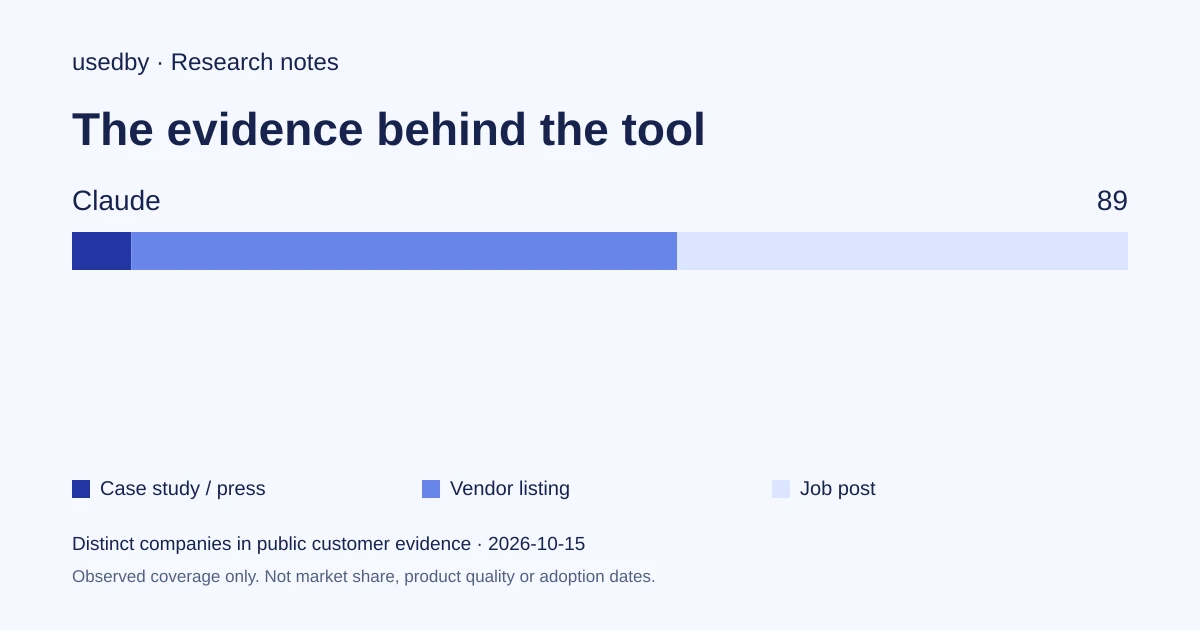
This dated snapshot counts distinct companies in public customer evidence. CONFIRMED means a case study, named testimonial or press source; OBSERVED means a vendor listing; SIGNAL means a job post. All three count, but their strength differs. Removed and unlevelled lines are excluded. Examples are a capped selection verified within 90 days. Vendor facts are sourced records checked within 60 days. Coverage is uneven and missing evidence is unknown. These figures measure neither market share nor product performance; capture dates are not adoption dates.
Sources
- 8241126 upload files to claude (support.claude.com)support.claude.com
- 9517075 what are projects (support.claude.com)support.claude.com
- Carvana (claude.com)claude.com
- Impel (claude.com)claude.com
- 9519177 how can i create and manage projects (support.claude.com)support.claude.com
- trust.anthropic.comtrust.anthropic.com
Questions
Should I upload to a chat or to a project?
Use a chat for a one-off question. Use a project when documents and instructions must persist across conversations. Chat uploads allow 500 MB per file and 20 files; project files allow 30 MB per file, with total content fitting the context window.
Does Claude read charts and images inside my PDF?
For PDFs of 100 pages or fewer, the help page says Claude analyzes both text and visual elements. For 101 to 1000 pages it processes text only. Non-PDF documents are text-only, and embedded images in them are not read.
Which features need a paid plan or Team/Enterprise?
The expanded project capacity through retrieval augmented generation is for paid plans (Pro, Max, Team, Enterprise). Sharing projects with colleagues requires Team or Enterprise, and administrators can switch sharing off. Free accounts can create up to five projects.
Can I rely on Anthropic's certifications for sensitive documents?
They are a starting point. The Trust Center lists frameworks per offering, and HIPAA coverage differs between Enterprise and Team. A data processing addendum is available. Retention and training use are not answered in the help pages read here, so ask Anthropic directly.
Tools in this article

Explore the data
Who uses which AI tool, and how each line was found.