From existing data to a Retool operations panel: connect, edit, restrict and release
A step-by-step path from a database to a Retool panel that looks up and corrects records, with permissions, staging, production and audit logs by plan.
The case: look up a record, fix it, keep control
The most common internal tool is simple. An agent searches for a transaction or customer, reads the details, and clicks a button that corrects something in the underlying data. Retool describes itself as a low-code platform for building internal tools and business applications faster, with AI features and pre-built components.
Ramp's case study, published by Retool, shows the pattern. Ramp's backend calculates a risk signal for each customer. Before Retool, support agents could not see it. Ramp built an interface where the operations team views the signal, and if a customer is eligible for a credit increase, the agent clicks a button that updates Ramp's backend. The tool is not read-only.
The rest of this article follows that path: connect the source, build the interface, limit access, move from staging to production, and keep an audit trail. Customer figures cited here are vendor-reported and are not a comparison between companies.
Sources: retool.com · Ramp (retool.com)
Step 1: connect the data you already have
Retool's integrations page lists REST API, GraphQL, OpenAPI, JDBC, PostgreSQL, MySQL, MongoDB, Snowflake, BigQuery, Salesforce, Zendesk, Stripe, Slack and many more. Retool also offers its own managed PostgreSQL database if you have no source yet.
EquipmentShare's analysts piloted Retool with a market data app that read from and wrote to a Snowflake data warehouse, with a small number of users managing it. Remitly's engineering account says that, after deploying Retool, it took about five minutes to connect a Dynamo database and build a page showing recent transactions. Both are customer statements published by Retool.
Sources: Integrations (retool.com) · Retool (usedby.ai) · Equipmentshare (retool.com) · Remitly (retool.com)
Step 2: build the lookup and correction interface
Remitly's customer success agents look up a transaction by reference code or filter on another identifying field. The first dashboard led agents to ask for more fields, which were added over time. A second page let agents see the partner, check the error in a knowledge base and act, all in one view.
Plaid's support team used pre-built integrations to pull context from several tools into one app. A colleague added a button that creates a Jira ticket pre-filled with institution data, a feature the app's builder had not planned. Plaid reports an 80% improvement in average ticket resolution time while the team tripled in size; this is Plaid's own measurement as published by Retool.
On the building side, Retool's homepage presents an AI app builder that generates an app from a description, an MCP server and CLI for building with AI agents, and import of React code from other platforms by ZIP file or GitHub sync. The pricing page adds workflows with schedule and webhook triggers and a query library.
Sources: Remitly (retool.com) · Plaid (retool.com) · retool.com · Retool (usedby.ai)
Step 3: limit who can see and change what
Retool bills builders (people who create or edit apps) and internal users (employees who use apps) separately. Per its pricing page, builders cost $10 a month on Team and $50 on Business; internal users cost $5 and $15. Free allows up to five users. Enterprise pricing is custom.
Permissions depend on the plan. The pricing page lists rich permission controls, with data-level and role-based access, from Business upward. Granular roles are listed only for Enterprise. Resource environment permissions, which restrict access to dev, staging and production, are also Business and Enterprise.
The homepage says apps connect to production data with access governed by existing permissions and no extra configuration. No provided source explains how that works in practice, so treat it as a claim to test in a demo.
Sources: Retool (usedby.ai) · Pricing (retool.com) · retool.com
Step 4: move from staging to production
Per the pricing page, Free is production only, Team offers staging and production, and Business and Enterprise offer unlimited environments. Version release and history, with the ability to revert, is included on every plan. Staging and production resources let you test against a staging database before switching.
Retool runs in its cloud or self-hosted in your own VPC; Enterprise supports both, plus air-gapped. Remitly chose self-hosting on its Kubernetes cluster because its data is sensitive. It stores Retool configuration in a GitHub repository, builds a container per merge, and restricts sign-up through SSO to its own domain. On the pricing page, Git source control and SSO are Enterprise features.
Sources: Retool (usedby.ai) · Remitly (retool.com)
Step 5: audit and follow-up
Audit logs are listed from Business upward, tracking queries run against databases and APIs and user actions in Retool. Streaming of audit logs is listed only for Enterprise. Usage analytics is also Enterprise.
The Ramp, Remitly and EquipmentShare case studies do not describe how those companies use audit logs or per-environment permissions. Whether a Business plan satisfies your own regulatory needs is not answered by these public sources.
Sources: Retool (usedby.ai) · Ramp (retool.com) · Remitly (retool.com) · Equipmentshare (retool.com)
Which plan and what to ask
Editorial reading of the pricing page: a small team prototyping on non-sensitive data can start on Free or Team. If you need audit logs, rich permissions and per-environment resource permissions, Business is the first plan listing them. If you need SSO, Git, granular roles or self-hosting, the page points to Enterprise.
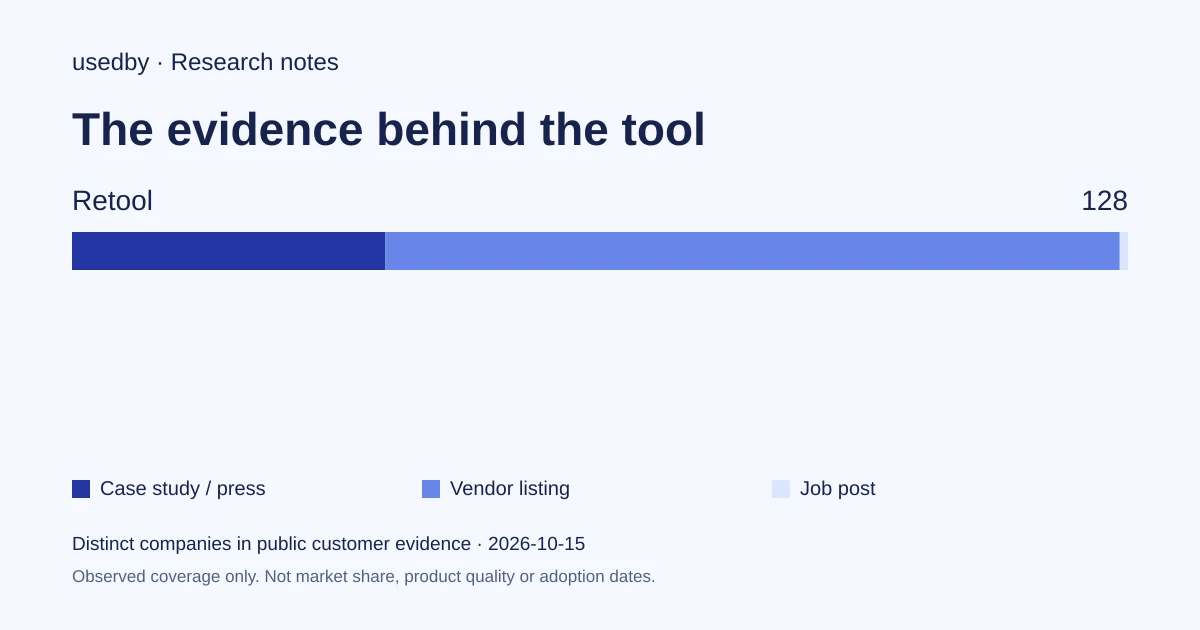
Questions worth asking in a demo: how existing database permissions carry into apps, how writes are limited to specific fields, what the audit log records for a button click, and how AI credits are consumed while building. These are editorial suggestions, not vendor capabilities. The usedby directory counts 128 companies as Retool customers, which is not market share.
Sources: Retool (usedby.ai) · retool.com
Method and limits
2026-10-15
This dated snapshot counts distinct companies in public customer evidence. CONFIRMED means a case study, named testimonial or press source; OBSERVED means a vendor listing; SIGNAL means a job post. All three count, but their strength differs. Removed and unlevelled lines are excluded. Examples are a capped selection verified within 90 days. Vendor facts are sourced records checked within 60 days. Coverage is uneven and missing evidence is unknown. These figures measure neither market share nor product performance; capture dates are not adoption dates.
Sources
- retool.comretool.com
- Ramp (retool.com)retool.com
- Integrations (retool.com)retool.com
- Equipmentshare (retool.com)retool.com
- Remitly (retool.com)retool.com
- Plaid (retool.com)retool.com
- Pricing (retool.com)retool.com
Questions
Which Retool plan includes audit logs?
According to Retool's pricing page, audit logs are included from the Business plan upward. Audit log streaming is listed only for Enterprise. Free and Team do not list audit logs.
Can Retool apps both read and change my data?
Yes in the customer examples. In Ramp's risk tool, an agent views the signal and clicks a button that updates the backend. EquipmentShare's app read from and wrote to Snowflake. These are customer accounts published by Retool.
Do I need self-hosting?
Not necessarily. Retool offers cloud and self-hosted options, with Enterprise supporting both. Remitly self-hosted in its VPC because of sensitive financial data. Whether you need it depends on your own data and policy requirements.
Is there a free way to try Retool?
Retool lists a free plan for up to five users with 250 pooled AI credits a month, production environment only, and a free trial on paid plans, according to its pricing page.
Tools in this article

Explore the data
Who uses which AI tool, and how each line was found.